
FirexportGuides
How to export Firestore security rules and indexes
The Firebase console shows your Firestore security rules in an editor and your indexes in a table, but it has no button to save either one as a file. The files the Firebase CLI deploys are firestore.rules and firestore.indexes.json. There are three ways to get them. Which one fits depends on whether you deploy from a project folder, and which version of the rules you need.
Updated October 27, 2026. Firexport, the extension in method 1, is ours. Methods 2 and 3 don’t need it.
The short answer
- Rules or indexes as a file, from the console, without the CLI: export them from the Rules and Indexes tabs with a browser extension. Method 1
- A project folder you deploy from with firebase deploy: firebase init firestore, or firebase firestore:indexes. Method 2
- Only the rules, once: copy them from the Rules tab. Method 3
| 1. Console + extension | 2. Firebase CLI | 3. Copy from the console | |
|---|---|---|---|
| Setup | Install a Chrome extension | Node.js and the Firebase CLI | None |
| Rules | firestore.rules, free | firestore.rules | Pasted into a file |
| Older versions and drafts | Yes, whichever the editor shows | No, the latest published rules | Yes |
| Indexes | The table as JSON, free. firestore.indexes.json with Advanced | firestore.indexes.json | No |
1. Export from the Firebase console with Firexport
Firexport is a free Chrome extension that adds an Export button to Firestore’s Rules and Indexes tabs. There is nothing to sign in to, and nothing is read from your database: Firexport saves what the console already shows.
Security rules
- Install Firexport from the Chrome Web Store.
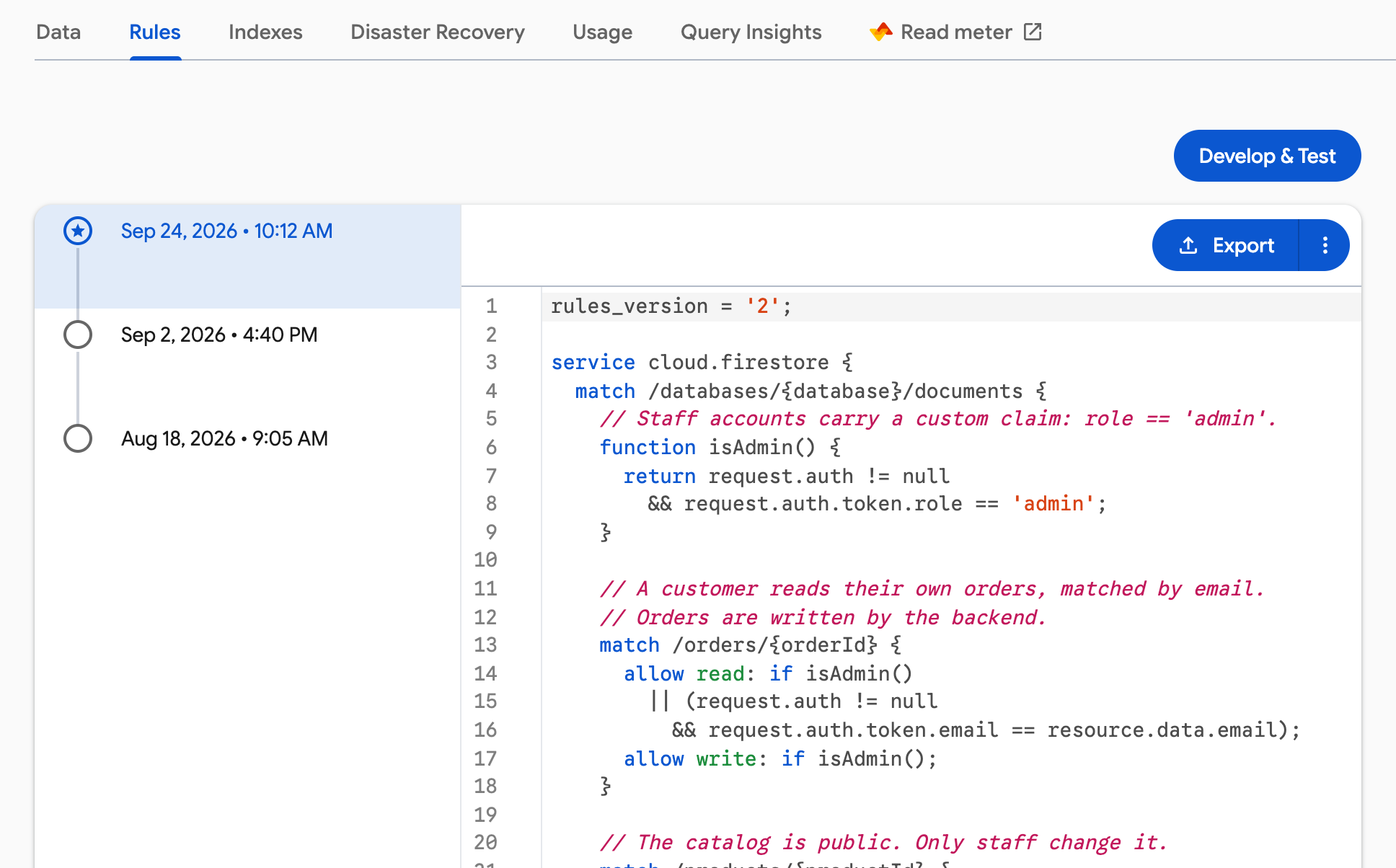
- In the Firebase console, open Firestore Database > Rules.
- To export an older version, pick it in the list on the left. Unpublished changes in the editor are exported as they stand.
- Click Export, at the right end of the bar above the editor. Firexport saves the editor’s text as
firestore.rules.
The file holds exactly what the editor holds, byte for byte, comments and blank lines included. Exporting rules is free on every plan.
Indexes
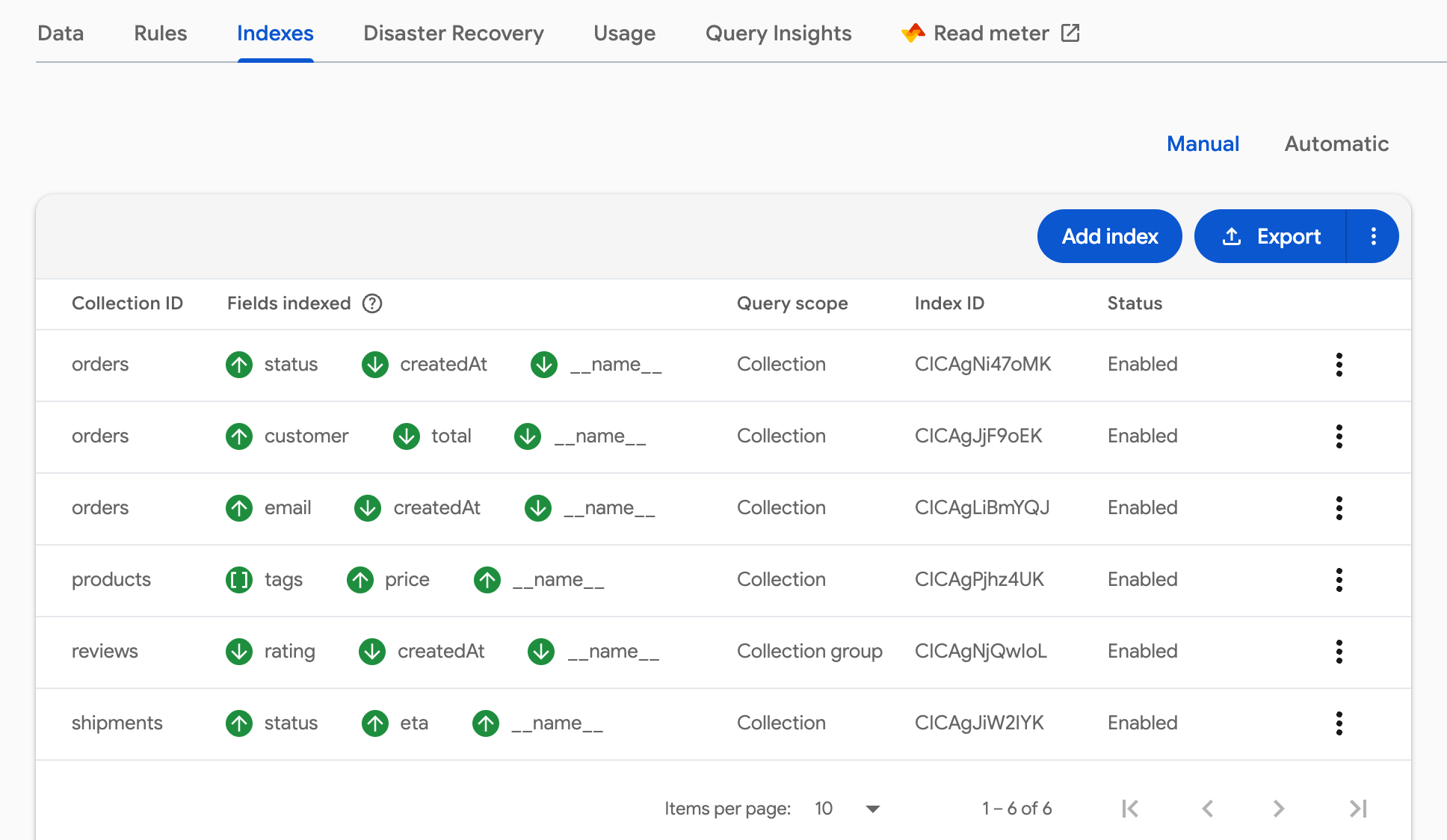
- Open Firestore Database > Indexes.
- Click Export, next to Add index.
- On the free plan, Firexport saves the table you’re looking at as JSON, every page of it: composite indexes under Manual, single-field exemptions under Automatic. It is the table as the console shows it, so
firebase deploycan’t read it, and its name isn’tfirestore.indexes.json. - With Advanced, Firexport saves
firestore.indexes.json: composite indexes and field overrides together, whichever table is showing, in the formatfirebase firestore:indexesprints. For a named database the file isfirestore.<database>.indexes.json. - One difference from the CLI’s file: a field with a TTL policy and no index exemption isn’t in it, because the console doesn’t load those fields.
Export Firestore rules and indexes from the console, without installing the Firebase CLI.
 Add to Chrome — free
2. Download them with the Firebase CLI
The Firebase CLI writes both files when it sets up Firestore in a folder: firebase init firestore downloads the rules and indexes deployed to the project. For the indexes alone, firebase firestore:indexes prints firestore.indexes.json. Both are free and need Node.js.
npm install -g firebase-tools
firebase login

# Rules and indexes, into firestore.rules and firestore.indexes.json
firebase init firestore

# Or only the indexes
firebase firestore:indexes --project your-project-id > firestore.indexes.jsoninitasks for the project and the file names, and writes afirebase.jsonthat points at them. It downloads the latest published rules, not an older version or an unpublished draft.- For a database other than
(default), add--database <id>tofirestore:indexes.initasks which database to set up, but looks up the rules without the database’s name, so check thatfirestore.rulescame from the one you meant.
3. Copy the rules from the console
For the current rules, once, the console is enough. Open Firestore Database > Rules, click in the editor, select everything with Ctrl+A (⌘A on a Mac), copy it, and paste it into a file named firestore.rules. To copy an older version, pick it on the left first.
Indexes have no such shortcut. The Indexes tab is a table, not text, so a file of them means writing each index into firestore.indexes.json by hand.
Deploy the files back
Both files go next to a firebase.json that names them, the one firebase init firestore writes:
{
  "firestore": {
    "rules": "firestore.rules",
    "indexes": "firestore.indexes.json"
  }
}
Then run firebase deploy --only firestore, or firestore:rules or firestore:indexes for one of them.
- If the project has indexes the file doesn’t list, the CLI shows them and asks before deleting them.
--forcedeletes them without asking. A TTL policy missing from the file isn’t deleted. - Add
--projectto deploy the same rules and indexes to another project, for example from production to staging. - Deployed rules take effect at once for every client, so try changes in the Firestore emulator first.
FAQ
Can you download Firestore security rules from the Firebase console?
Not with a button. The Rules tab shows them in an editor you can copy from, firebase init firestore downloads them into firestore.rules, and a browser extension such as Firexport adds an Export button that saves them as firestore.rules.
How do I export Firestore indexes to firestore.indexes.json?
Run firebase firestore:indexes > firestore.indexes.json with the Firebase CLI, or export the file from the Indexes tab with Firexport Advanced. Both write composite indexes and field overrides in the format firebase deploy reads.
How do I copy Firestore indexes to another project?
Export firestore.indexes.json from the first project, then run firebase deploy --only firestore:indexes --project with the other project’s ID. New indexes build in the background, and queries that need one fail until it shows as Enabled.
Can I get an older version of my Firestore rules?
Yes, from the console. The Rules tab lists past versions on the left; pick one to see it, then copy it or export it with Firexport. firebase init firestore only downloads the latest published rules.
Does exporting rules or indexes cost Firestore reads?
No. Rules and index definitions aren’t documents, so saving them reads nothing from your database, whether from the console, the CLI or Firexport.